Admissions & enquiries
Follow every enquiry from the first call to admission, with reminders so no family is forgotten.

TeachRiver brings fees, attendance, exams, staff, transport and more into one simple system, with apps for teachers and parents. Built for Indian schools, and easy for everyone in the office.

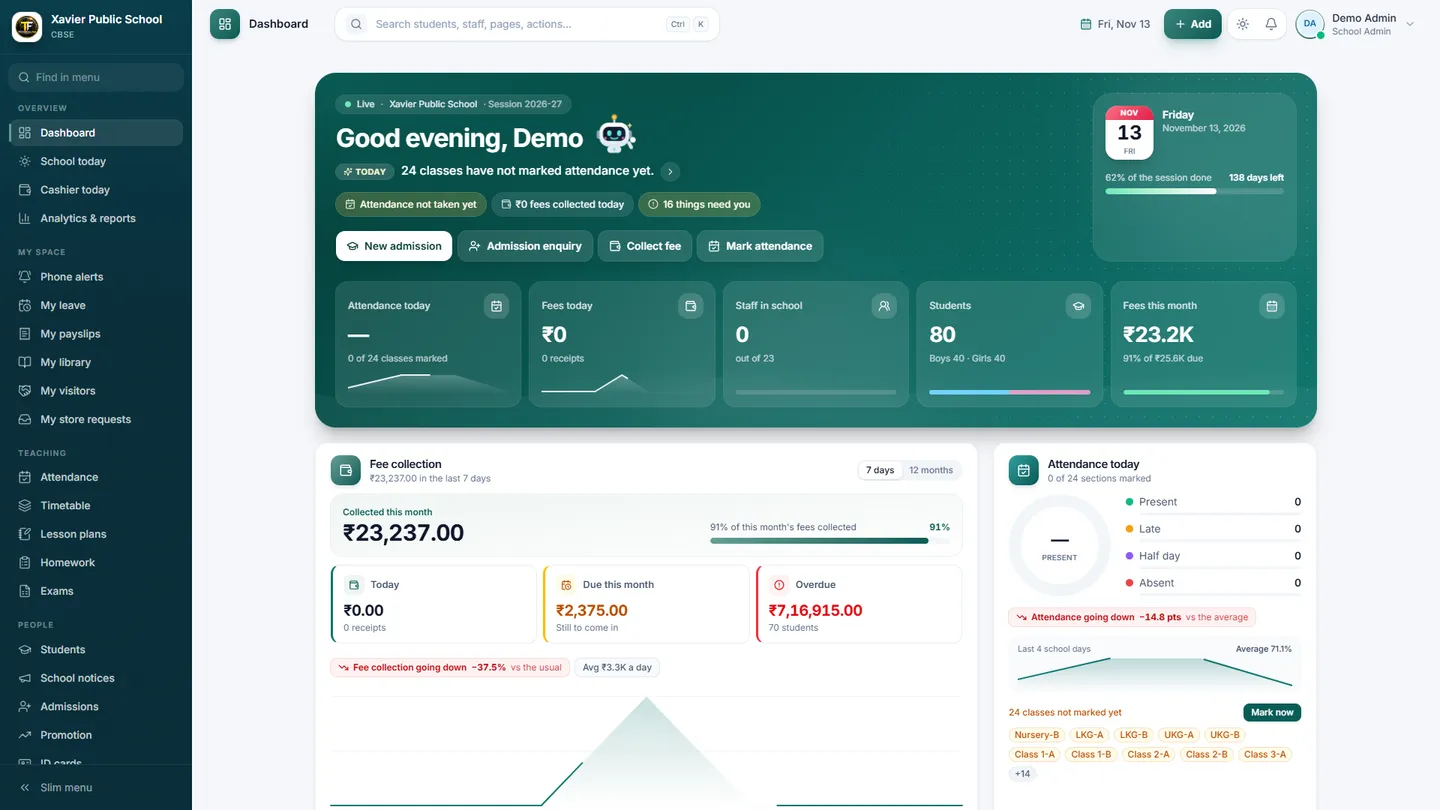
This is TeachRiver as your office will use it. Sample school data shown.
School dashboard: attendance, fees and enquiries at a glance.
From the morning bell to the evening fee report, TeachRiver keeps the whole school on the same page.
Book a free demoStart with what you need today. Every part works together, so you never type the same thing twice.
Follow every enquiry from the first call to admission, with reminders so no family is forgotten.
One profile with details, guardians, fees, attendance, results, library books and certificates.
Teachers mark a class in seconds, even without internet. Parents get a gentle alert, and corrections are tracked.
Flexible fee heads, concessions, part-payments, late fees and receipts. Parents can pay online into the school's own account.
Marks entry with checks, grades, and printable report cards with a QR code that proves they are genuine.
Teachers post work, children send a photo of the answer, and teachers check it. Parents see it all in the app.
Staff attendance, leave approvals, salary slips and payroll runs with built-in checks.
Day book, ledgers, bank reconciliation, budgets and a Tally export, without accounting jargon on the main screens.
Books, buses and boarders, each with simple screens for the person who runs them.
Visitors, gate passes, child pick-up, inventory and the school shop, all in one place.
Parents, teachers and school leaders each get a simple screen made for what they do every day.
 Android, coming soon
 Android, coming soon
 Install from your browser
We built it for real school offices: busy people, slow computers and patchy internet.


Plain words and big buttons. Staff who are not good with computers can still get the work done.
Every school's records are kept strictly apart, and important changes leave a trail you can review.
Online fee payments go straight to your school's own Razorpay or Cashfree account, not through ours.
Teachers can take attendance offline. It uploads by itself when the connection is back.
English, Hindi, Bengali, Tamil and Spanish, with a light, dark and low-power mode.
A light mode keeps it quick on older school PCs. Your school colour and logo appear throughout.
Know schools that need a better system? Join the TeachRiver partner programme and follow your schools and earnings in your own partner portal.

We are onboarding early-access schools now. Book a free demo and we will show you the current version and what is coming next.
Any computer, tablet or phone with a web browser. Teachers and parents will also get Android apps, and school leaders can install a phone app straight from the browser.
Only the people your school gives access to, and only what their role allows. Every school's data is kept separate from every other school's.
Your school connects its own Razorpay or Cashfree account. Parents pay in the app or on the website, and the money goes to your school's account. Receipts are created automatically.
Yes. Schools can begin with the parts they need most, such as fees and attendance, and add more over time.
There are plans from monthly to yearly, depending on your school. Ask for a quote when you book a demo.
Tell us a little about your school. We will call you to set up a free demo at a time that suits you.